

Details
Loading from a File or In-Memory String
EDIFileLoader gives you the flexibility to load data two ways: directly from a disk file using the EDIFile property, or straight from a text string using the EDIDataString property. This means you can process local files or real-time API data streams with equal ease.
Accessing Parsed and Loaded Data
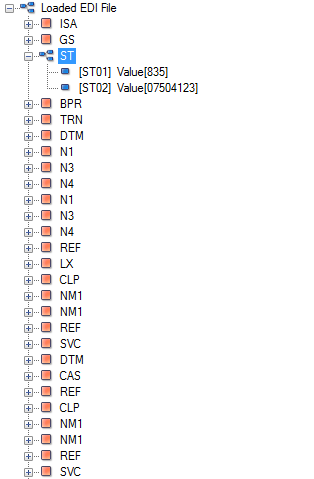
EDIFileLoader bypasses all validation rules to give you instant, unrestricted access to your raw EDI data. Instead of forcing your file into a complex hierarchy, it parses every segment and element into a single, flat loop. This lightweight, rule-free approach eliminates strict schema constraints—giving you the ultimate flexibility to extract, manipulate, and consume data exactly how you want.
Grouping of EDI Envelopes
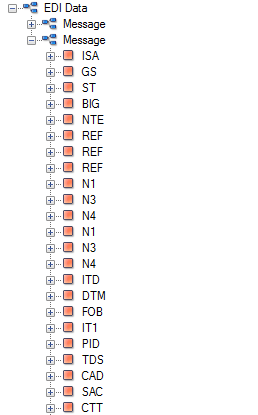
EDIFileLoader will create a different parent loop for each Interchange it encounters
Accessing Raw EDI Data
EDIFileLoader lets you instantly retrieve your raw data line-by-line using the EDIFileLines property. The engine maps your entire document into a simple string array, where each index represents a single line from the file. This gives you instant access to the exact text layout for quick auditing, debugging, or custom string manipulation..
Auto Detection of Delimiters
EDIFileLoader takes the guesswork out of file parsing with smart separator detection. If you already know your file delimiters, you can assign them manually using the Delimiter property. Alternatively, you can enable the AutoDetectDelimiters property—allowing the engine to automatically scan, identify, and apply the correct delimiter characters on the fly as the document loads..
Convert to XML
EDIFileLoader lets you instantly export your parsed data into standard XML format. Once your file is loaded, you can convert the entire payload into a clean XML structure with a single method call—making it effortless to integrate your EDI data with modern web services, databases, or API pipelines