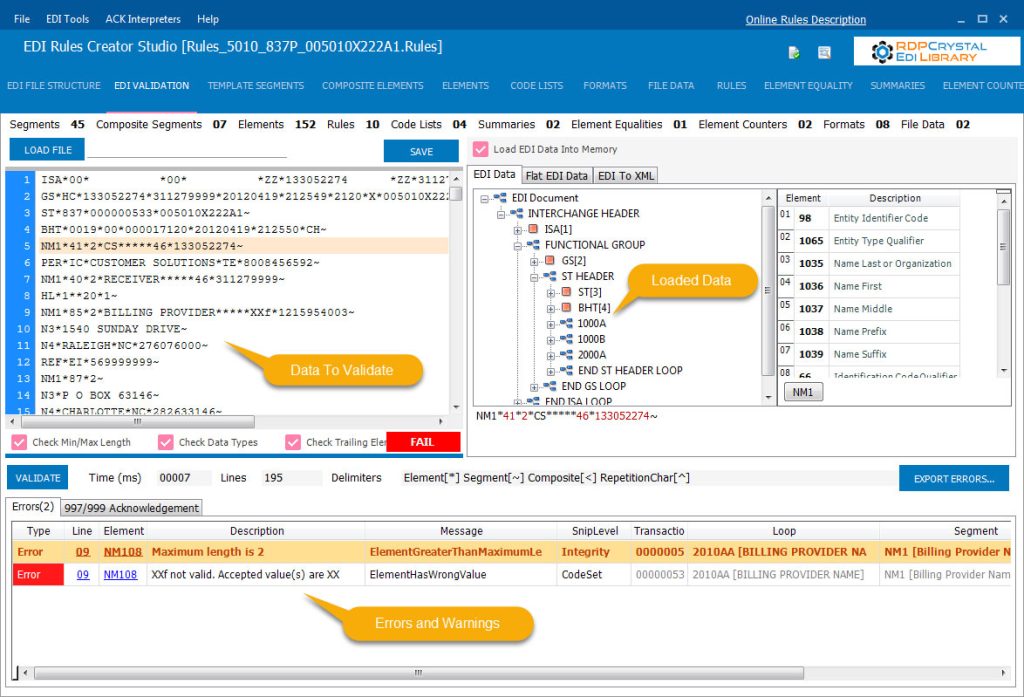
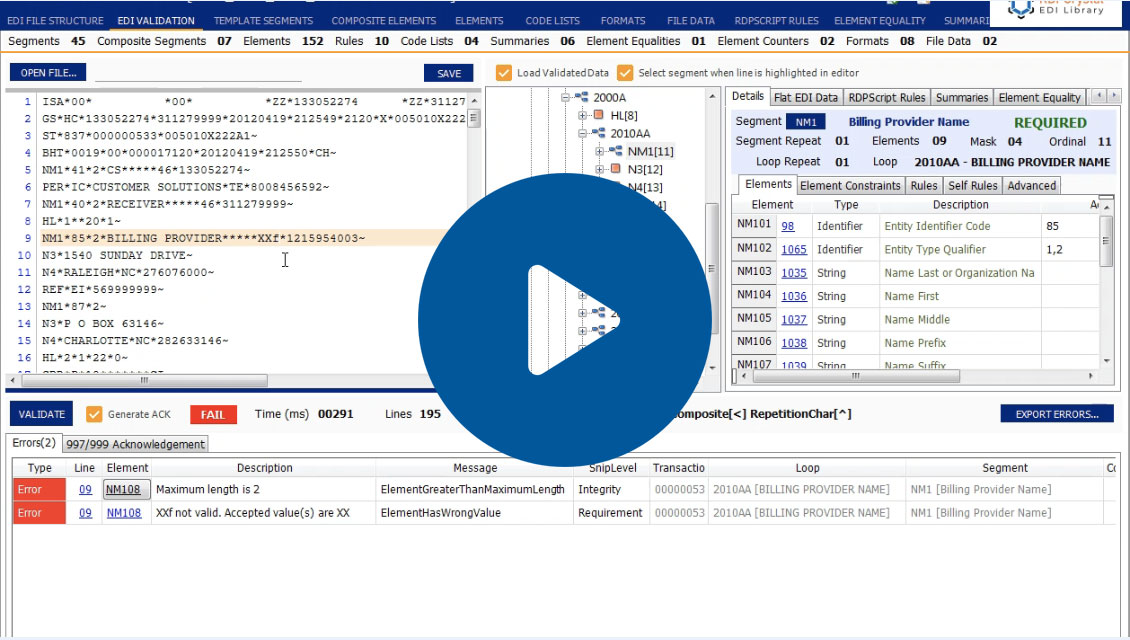
EDI Rules Creator Studio brings EDI validation, troubleshooting and rules management into one visual environment. Load an EDI file, validate it against implementation rules, identify errors and navigate directly to the affected data.
Validate HIPAA EDI
Validate EDI data against HIPAA
4010 and 5010 implementaton
rules
Find Errors Quickly
See errors and warnings in one place
and navigate directly to the affected
line, segment or element
Create Custom Rules
Build organization specific
validation logic using the RDPScript EDI language
Manage Code Lists
Configure state, ZIP codes, CPT, ICD, NDC and other code lists used during validation
Interpret 997 & 999 Files
Inspect 4010 997 and 5010 999 acknowledgment files and identify
transaction and element level errors
Split & Combine EDI Files
Split EDI files by interchange, functional group or transaction, or combine multiple X12 files into one
HIPAA EDI VALIDATION
Validate EDI Files Without
Hunting Through Raw Data
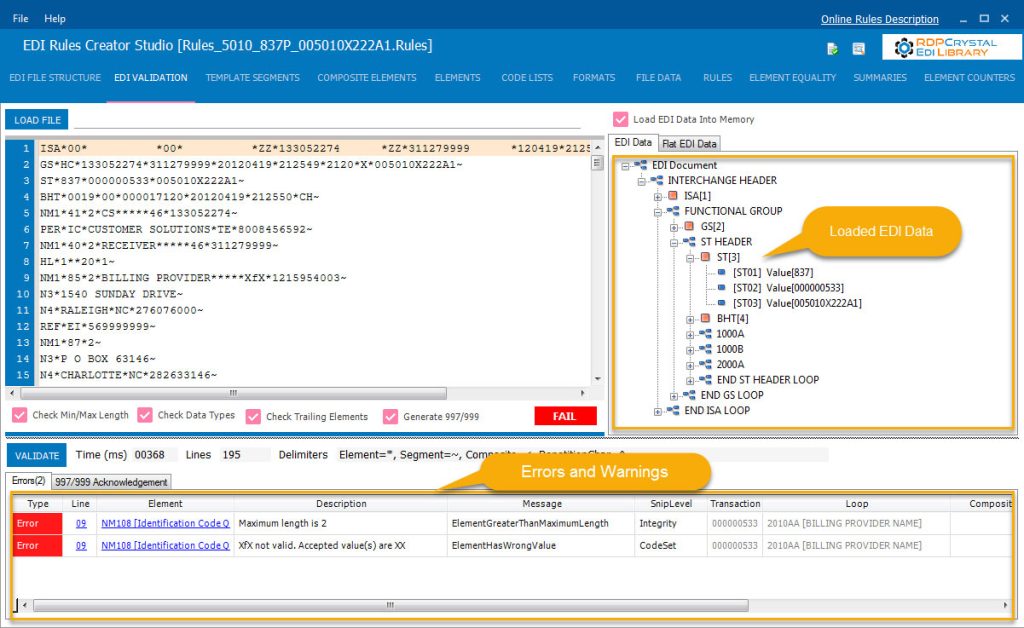
Load your EDI data and validate it against your rules in seconds. EDI Rules Creator Studio organizes validation results in one place so you can see what failed, why it failed and navigate directly to the line, segment or element.
Identify errors and warnings
Navigate directly to the affected element
Generate 997/999 acknowledgments based on validation results
Interpret 997 and 999
Acknowledgment Files
EDI Rules Creator Studio brings EDI validation, troubleshooting and rules management into one visual environment. Load an EDI file, validate it against implementation rules, identify errors and navigate directly to the affected data.
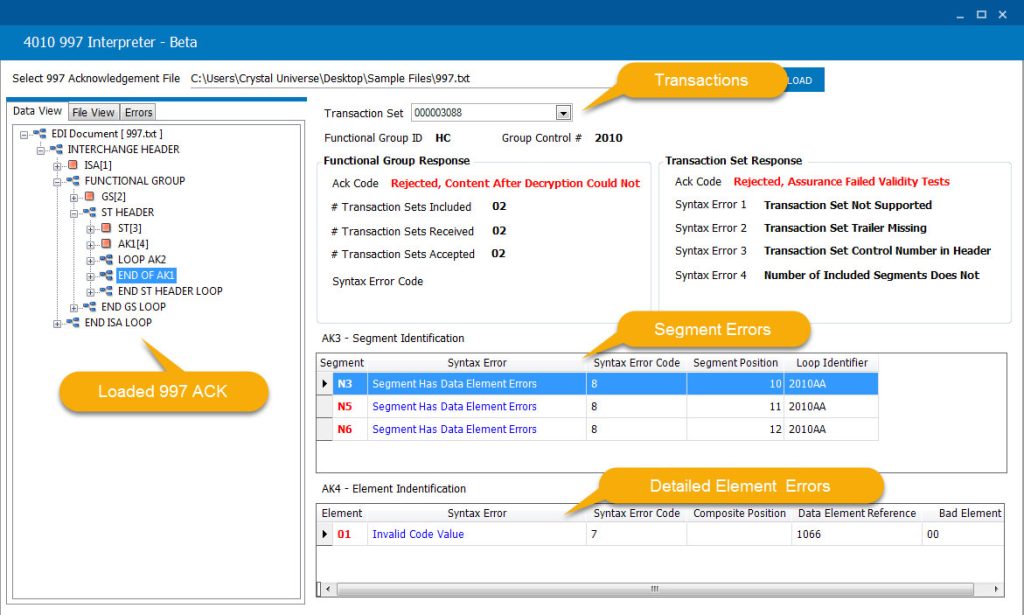
4010 997 Acknowledgments
Review functional acknowledgment results and identify errors reported in 997 files.
View functional acknowledgment responses
Identify rejected or accepted transactions
Navigate directly to segment and element errors
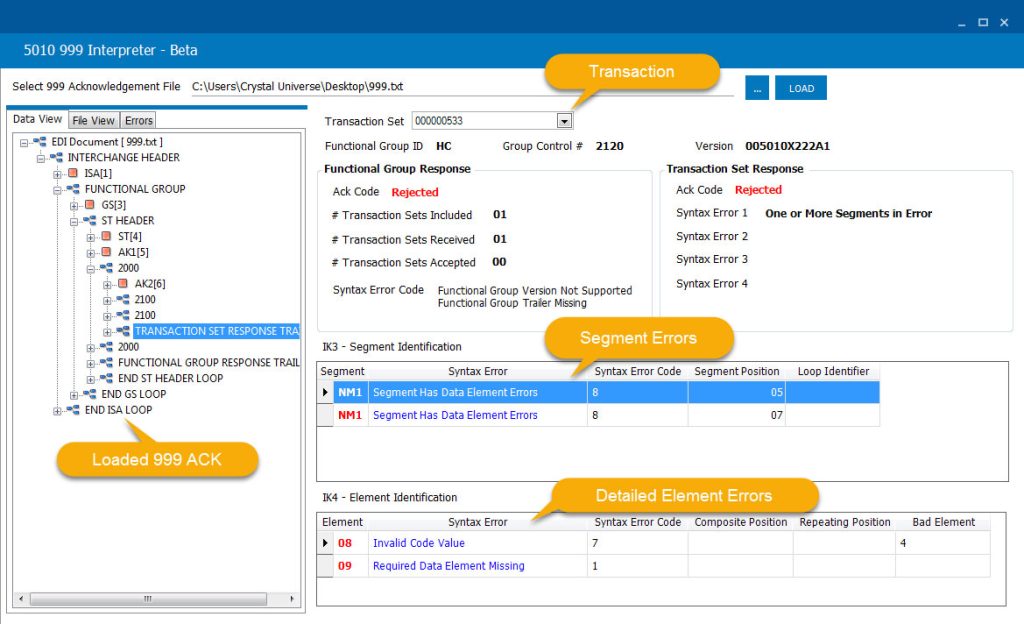
5010 999 Acknowledgments
Interpret transaction responses, segment errors and detailed element errors in 999 acknowledgment files.
View transaction set responses
Identify segment and element errors
See detailed error information with exact positions
CREATE CUSTOM RULES
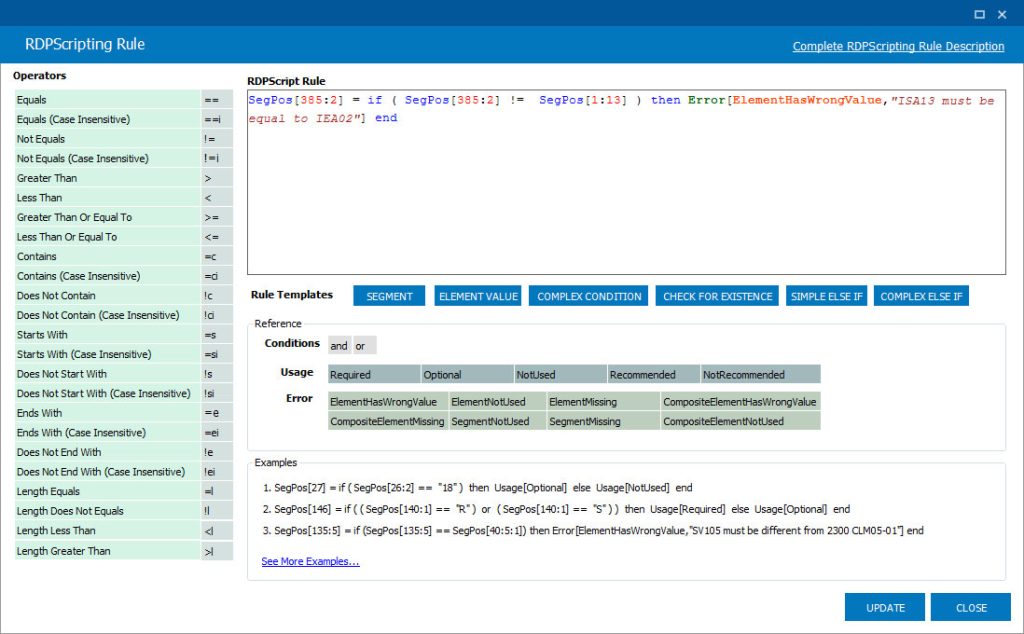
Build Rules With RDPScript
Go beyond standard implementation rules by defining custom validation requirements using the RDPScript EDI language. Create rules for element values, usage, relationships and other business-specific conditions.
Easy-to-learn RDPScript language
Validate element values, usage and relationships
Create complex conditional rules
Take Full Control of Your EDI Validation Rules
EDI Rules Creator Studio gives you visual tools for building and maintaining custom EDI validation rules without manually editing complex rule files.
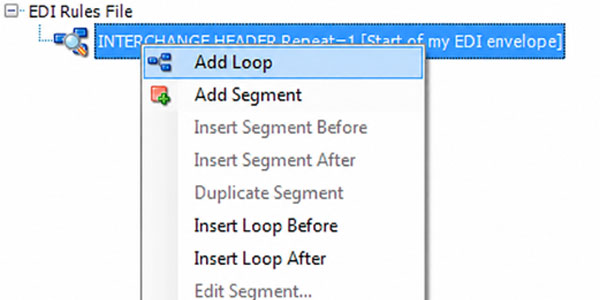
Easily Add Loops, Segments and Elements
Add and organize loops, segments and elements to define the structure of your EDI documents.
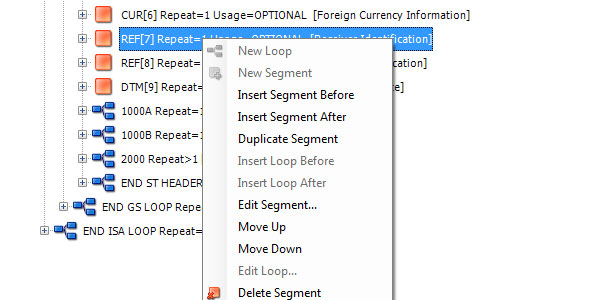
Complete Control of Segments
Right click to quickly add, insert, delete or move segments and elements
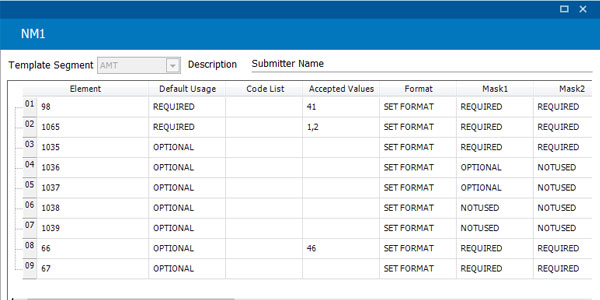
Configure Segment Usage, Values & Formats
Configure segment usages, accepted values and data formats for validation.
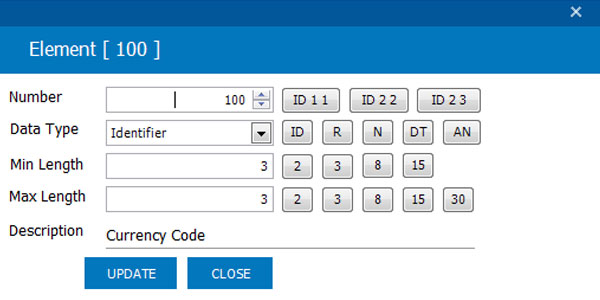
Add and Configure Elements
Add elements and define the validation requirements applied to their data.
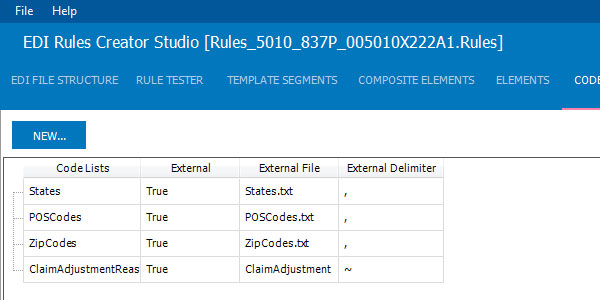
Add, Edit and Configure Code Lists
Maintain code lists such as states, ZIP codes, CPT, ICD, NDC and other validation data
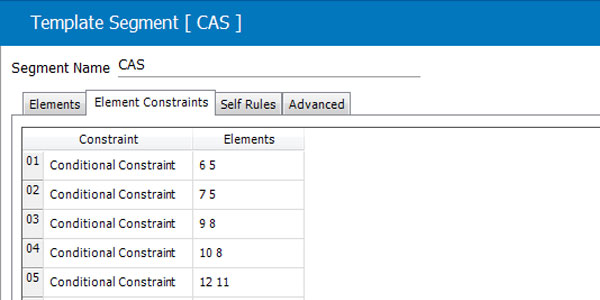
Configure Complex Segment Rules
Build advanced validation logic for relationships and conditions that go beyond standard rules.
SPLIT & COMBINE FILES
Work With EDI Files More Efficiently
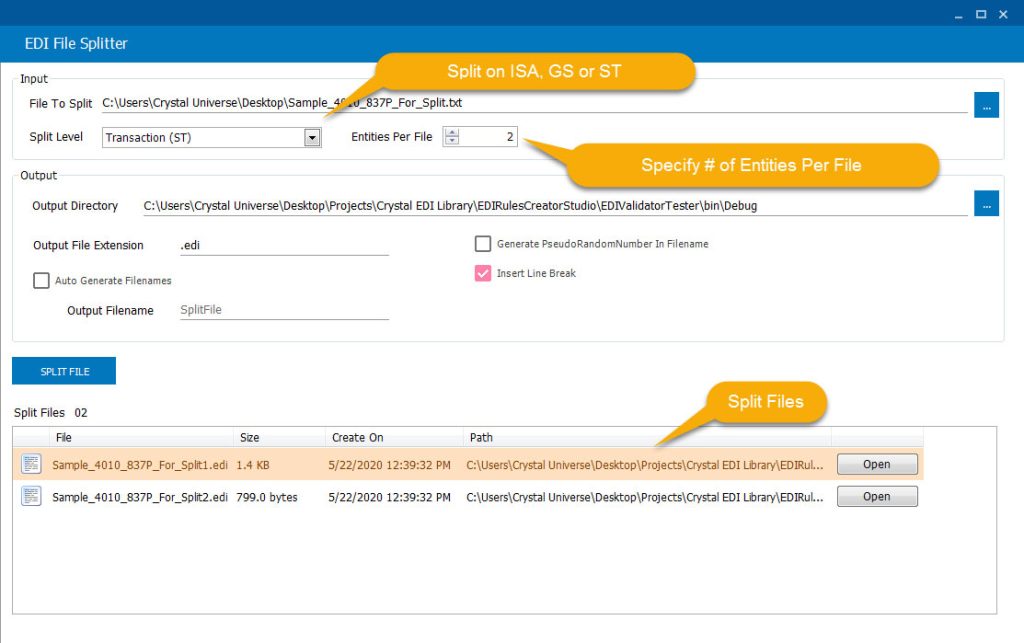
Split EDI files by interchange, functional group or transaction, or combine multiple X12 EDI files into one. EDI Rules Creator Studio makes it easy to manage both small and large EDI files.
Split by interchange, functional group or transaction
Combine multiple X12 files into a single file
Handle large EDI files with ease
EDI RULES CREATOR STUDIO
See Rules Creator Studio in Action
Watch a quick demonstration to see how easy it is to load a HIPAA EDI file, validate it and locate the exact element causing an error.