EDI Document Viewer

View EDI Data Correctly

Render EDI documents instantly with EDIDocumentViewer—the high-performance UI component built for speed and efficiency. Whether processing small files or massive datasets, its smart on-demand loading ensures lightning-fast rendering while keeping your memory footprint to an absolute minimum

Main Features

Screenshots

EDIDocumentViewer

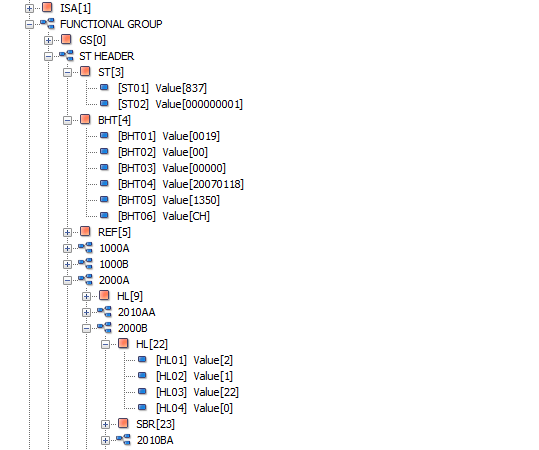
Drill down into EDI data with the click of a button.  Perfect for either viewing EDI documents or viewing validated data.  Loop, segment and element nodes are easily distinguishable from each other.  Data element values as are displayed in brackets as well.  An event is also raised when an EDI node is selected.

EDIDocumentViewer has so far been test on 128MB size EDI files.  Performance did not decrease and user interaction was snappy with no noticeable lag.

The Code

EDIDocument sampleEDIFile = new EDIDocument("C:\\EDIDoc.txt");
 
// Create your EDI documents loops, segments an elements here
 
// Load the data into the EDIDocumentViewer.
ediDocumentViewer1.LoadDocument(sampleEDIFile);